
eGA Net Mailing System (eGanet): Complete Guide to Login and Access
The eGA Net Mailing System (often called eGanet mail) is the official email platform used by staff under the e-Government Authority Tanzania. It is part of Tanzania’s government digital infrastructure, designed to support secure communication between ministries, departments, and agencies.If you’ve been given access to an eGanet email account, this guide explains how to log in, how the system works, and what to do if you run into problems.
Official eGanet Mail Login Portal
To access your email account, use the official webmail link:Access Link:
https://mail.ega.go.tz/
In some cases, users may be redirected to Microsoft Outlook (Office 365), depending on how the system is configured.
How to Login to eGanet Mail
Follow these simple steps:| Step | Action |
|---|---|
| 1 | Open the eGanet mail portal |
| 2 | Enter your Email Address / Username |
| 3 | Enter your Password |
| 4 | Click Login / Sign In |
| 5 | Access your inbox |
What the Login Page Looks Like
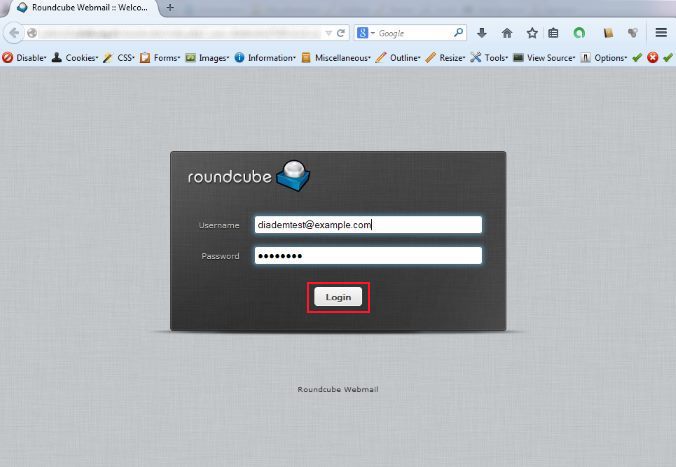
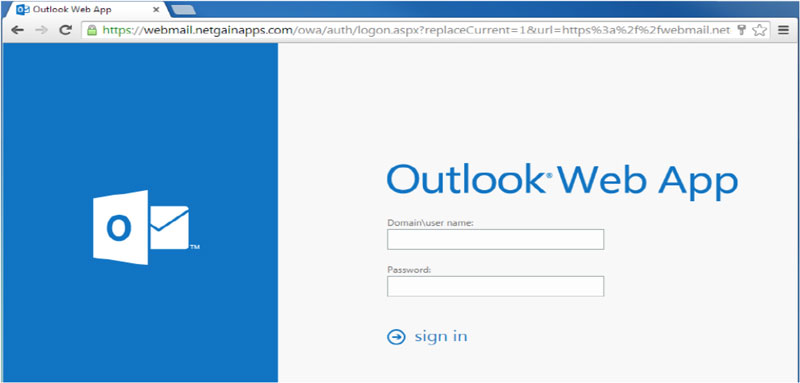

The interface is usually straightforward—just username, password, and a login button.
Who Can Access eGanet Mailing System?
Access is restricted. You can only log in if:- You are part of a government institution connected to the e-Government Authority Tanzania
- Your account has been created by the IT department
- You have valid login credentials
How to Get eGanet Email Credentials
If you don’t yet have access:- Contact your organization’s IT department
- Request account creation
- You will receive:
- Official government email address
- Password (temporary or permanent)
First-Time Login Tips
- Enter credentials exactly as provided
- Be careful with uppercase/lowercase letters
- Change your password if prompted
- Use a secure internet connection
Features of eGanet Mail System
Once logged in, you can use all standard email features:| Feature | Description |
|---|---|
| Inbox | View received emails |
| Compose | Send new messages |
| Sent Mail | Track sent emails |
| Drafts | Save unfinished emails |
| Attachments | Share documents |
| Folders | Organize emails |
Common Login Problems and Solutions
| Problem | Cause | Solution |
|---|---|---|
| Login failed | Incorrect credentials | Re-enter or reset password |
| Account locked | Too many attempts | Wait or contact IT |
| Page not loading | Browser/network issue | Refresh or switch browser |
| Access denied | No account | Confirm with IT |
Forgot Password?
If you forget your password:- Go to the login page
- Click Forgot Password (if available)
- Follow instructions
Security Best Practices
- Keep your login credentials private
- Avoid using public computers
- Always log out after use
- Use strong passwords
- Report suspicious emails immediately
Mobile Access
You can access eGanet mail on your phone:Access Link:
https://mail.ega.go.tz/
Some users may also configure their email in apps like Outlook or Gmail depending on IT setup.
When to Contact Support
Contact IT support if:- You cannot log in after several attempts
- Your account is locked
- You haven’t received credentials
- You suspect unauthorized access
eGA Official Website
Access Link:https://www.ega.go.tz/
Frequently Asked Questions (FAQs)
Can I create an eGanet email account myself?No. Accounts are issued internally.
Can I access eGanet mail outside the office?
Yes, with internet access and valid credentials.
Why is my login not working?
Usually due to incorrect details or access issues.
Is eGanet mail the same as Gmail?
No. It is a secure government email system.
Final Thoughts
The eGanet mailing system is a key communication tool within Tanzania’s digital government infrastructure, managed by the e-Government Authority Tanzania.Once you understand where to log in and how it works, using it becomes routine. Most issues are minor and can be resolved quickly by checking your credentials or contacting your IT department.